

InVideo AI Alternative for Illustrated Shorts
InVideo assembles stock and generated clips with AI agents that charge credits. Plamia draws every scene in one style and lets you edit each layer for free.
Try PlamiaInVideo became an agent-driven editor in 2026. You upload footage or describe a video, and AI agents cut it together from stock clips and generated shots, charging credits for the work.
Plamia takes a different route for one kind of video. Give it a script and it draws every scene in one illustration style, narrates it, and hands you a layered project. Each character, caption and sound can be moved or changed by hand, and none of that costs credits. If you want illustrated shorts with a look of their own and control over every element, this is the alternative to try.
In brief
- Plamia draws every scene in one consistent illustration style. There is no footage to supply, no stock search and no model to choose.
- Each generated scene stays editable in layers, and edits and re-exports use no credits. In InVideo, agent work and generated media use credits.
- Plamia sells credits without a subscription, from $4.50 for 300, and unused credits stay in your balance. InVideo Starter shows a regular price of $20 a seat per month, and its credits do not roll over.
- InVideo remains the better pick for editing real footage, and its editor exports for free.
When an InVideo alternative makes sense
InVideo’s home page describes “the agentic video editor for serious creatives”. Its September 2026 launch post presents an editor in which you describe the edit in plain words and an agent carries it out on a timeline that you can take over. Missing shots are generated or found in a stock library.
Sources: InVideo home page, Introducing InVideo Editor
That direction suits people who cut footage for a living. Plamia is the stronger choice in four situations.
- You have a script and no footage. Plamia draws the whole story, so there is nothing to assemble shot by shot.
- You want one look from start to finish. Every Plamia scene shares the style you picked, where a mix of stock footage and different generative models can shift from shot to shot.
- You want revisions to be free. In Plamia you change a scene by hand at no cost. In InVideo, agent work and generated media use credits, and unused credits do not roll over.
- You work alone. Plamia has one price per account. InVideo prices its plans per seat.
Edit inside the scene, at no extra cost
InVideo has a serious timeline, with keyframes, color grading and an audio mixer. What it edits is shots. A stock or generated clip is one piece, and changing what is inside a generated shot generally means generating it again, which uses credits.
Sources: InVideo Editor documentation
Plamia builds each scene from separate pieces and keeps them that way. The character is one layer, the background is another, the lettering is a third, and each has its own clip on the timeline. You edit what is inside the picture, not only the order of the pictures.
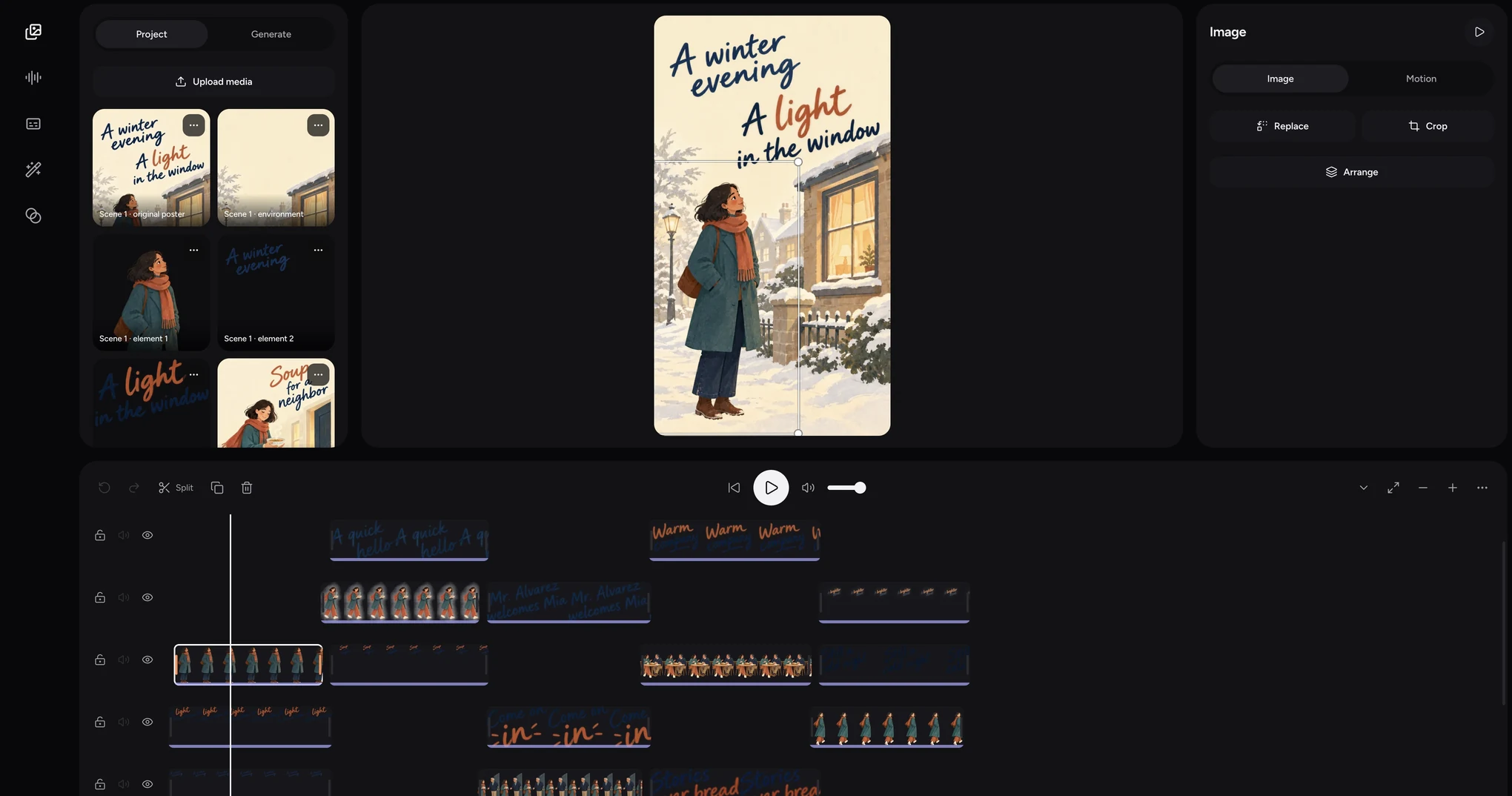
- Move, resize or rotate a character or an object by dragging its handles on the preview.
- Slide a picture along the timeline so it appears on the exact word that names it.
- Retype a single caption word. The timing holds, so the line stays in sync.
- Change how a layer enters, moves and leaves the frame.
- Replace one illustration with a new one or with your own photo, without rebuilding the scene.
- Move, trim or add a sound effect.
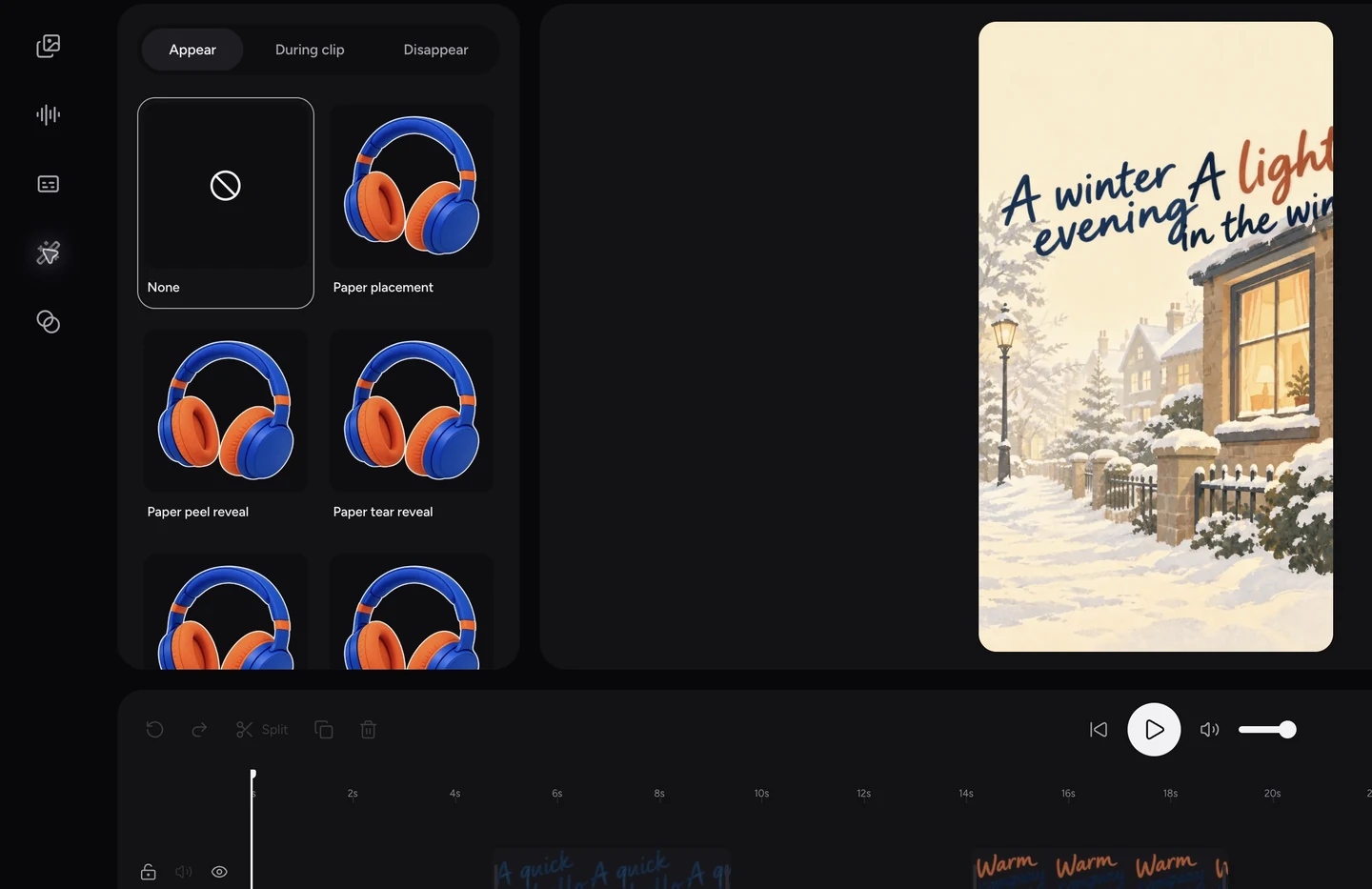
Every one of these edits is free, and so is exporting the project again. You never spend credits to correct something the first generation got slightly wrong.
Plamia and InVideo AI side by side
Scroll horizontally to compare every column.
| Workflow | Plamia | InVideo AI |
|---|---|---|
| What do I get after generation? | An editable project. Each character, background, caption and sound is its own layer. | A cut of stock, generated and uploaded clips on a multitrack timeline |
| Where do the visuals come from? | New illustrations drawn for every scene, in one of 19 styles | Your uploads, 16 million stock clips and images, or more than 200 generative models |
| How do I fix one detail in a scene? | Move, resize or replace that layer by hand. No credits used. | Edit the clip on the timeline, or ask an agent, which uses credits |
| Do unused credits roll over? | Yes, on paid plans | No |
| What resolution can I export? | 720p, 1080p or 4K, vertical 9:16 | 1080p MP4, with 4K through a paid upscale |
| What is the lowest paid option? | $4.50 once for 300 credits | A regular price of $20 a seat per month with 400 credits |
| What does a free account export? | Generating, previewing and editing are free. MP4 export needs a paid plan. | Editor exports are free with no watermark. Agent work and generated media use credits. |
Sources: InVideo plans, InVideo Agent Two, InVideo export options, Plamia plans
Assembled footage or one drawn style
Give InVideo a script about a baker’s first morning shift and the agent plans it shot by shot. It can search a library of 16 million stock clips, images and music tracks, or generate shots with models such as Veo and Kling. The result looks like edited video.
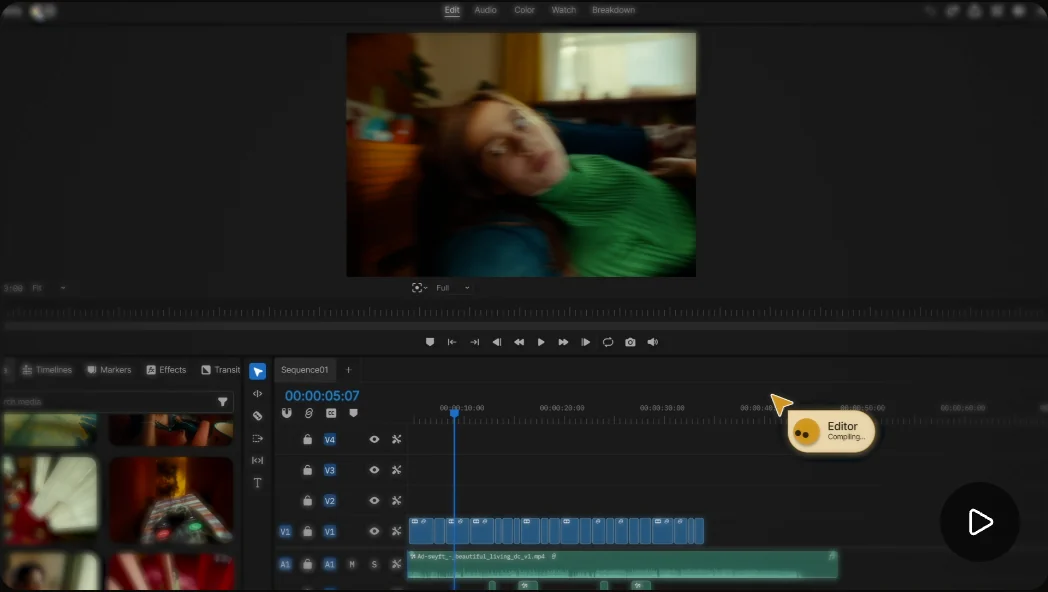
Give Plamia the same script and it draws the bakery. You pick one of 19 illustration styles, and the baker, the oven and the lettering keep that look in every scene. Attach a photo and it guides how the baker is drawn. A consistent drawn look is what makes a series recognizable, and it is hard to get from clips that come from many sources.
InVideo and Plamia pricing
New Plamia accounts get 300 credits at signup, with no payment card and no trial clock. That covers generating a short, previewing it and editing it. After that you can pay as you go: credits are sold once, from $4.50 for 300, with no subscription. Creator is $24 a month with 2,000 credits. Editing a project and exporting it again in 720p, 1080p or 4K use no credits, and credits you do not use stay in your balance.
InVideo’s editor and its exports are free, and credits pay for agent work, generated media and premium stock. Paid plans are priced per seat. Starter shows a regular price of $20 a seat per month and includes 400 credits. Plus includes 2,000 credits and Max 8,000. Unused credits do not roll over. On November 24, 2026 the pricing page showed Black Friday discounts on annual billing, and prices differ by country, so open the page from where you are before comparing.
Sources: Plamia plans, InVideo plans
Put simply: for a tool that produces the pictures and the narration from a script, Plamia sells 1,000 credits for $13.50 with no subscription, keeps what you do not use, and never charges for a correction.
When InVideo is still the right tool
Plamia is built for short illustrated videos and goes deep on that. InVideo covers jobs Plamia does not take on.
- Editing footage you filmed. InVideo’s editor is free to use and exports without a watermark.
- Live-action, stock or generated video, with professional finishing such as color grading and export to desktop editors.
- Presenter avatars and voice cloning.
How to try an InVideo script in Plamia
- Choose a script you have already made in InVideo. Cut it to 250 words or fewer.
- Paste it into Plamia, pick a style and a voice, and attach a photo if one subject appears throughout.
- Generate the draft. Watch it once and note any scene that does not match its line.
- Fix those scenes in the editor by hand. Notice that your credit balance does not change.
- Compare the two versions for how well the pictures fit the words, how consistent they look, and what each cost in credits.
Frequently asked questions
What is the best InVideo AI alternative for animated shorts?
For short narrated animations made from a script, Plamia is built for exactly that. It draws every scene in one consistent style, adds a voiceover and captions, and gives you a layered project to edit by hand at no extra cost. For cutting footage or building videos from stock and generated clips, InVideo is the stronger tool.
Can I edit a Plamia video after it is generated?
Yes, and it is the main reason to choose Plamia. A generated short opens as a project on a multi-track timeline. Characters, backgrounds, lettering, captions, voice and sound effects are separate layers, so you can move, resize, retime, restyle or replace any of them by hand. Those edits and every re-export use no credits.
Is there a free InVideo alternative without a watermark?
Plamia exports carry no watermark, and new accounts get 300 credits to generate, preview and edit a short with no payment card. Downloading the MP4 takes one purchase, from $4.50 for 300 credits. InVideo itself says its editor exports for free without a watermark.
Does Plamia use stock footage?
No. Plamia draws new illustrations for each scene, so the pictures match your script and share one style. You can add your own photos to a project.
Do credits roll over in Plamia?
Yes. Unused credits on paid Plamia plans roll over to the next month. InVideo states that its unused credits do not roll over.