

Pictory Alternative for Animated Shorts
Pictory matches your script to stock footage. Plamia draws every scene and hands you a layered project, so you fix a detail by editing it, not by generating again.
Try PlamiaMost AI video tools hand you a finished clip and a button to try again. Plamia hands you the project. It draws every scene of your script as an illustration, narrates it, and keeps each character, background, caption and sound on its own layer of a timeline. If one detail is wrong, you move it, restyle it or replace it by hand.
Pictory works another way. It matches each sentence to a clip from a stock library and lets you swap scenes in a storyboard. If your videos keep coming back with footage that only roughly fits the words, or you want to fix one thing without rebuilding a scene, that is the reason to look at an alternative.
In brief
- Plamia draws original illustrations for every scene in one consistent style. Pictory matches stock footage to each sentence.
- Every Plamia scene stays editable in layers: move a character, retime a picture, retype a caption word. Edits and re-exports use no credits.
- Plamia starts with 300 free credits and no time limit, then sells credits without a subscription from $4.50. Pictory offers a 14-day trial, and its Starter plan shows a regular price of $29 a month.
- Pictory remains the better pick for long videos, real footage and landscape formats.
When a Pictory alternative makes sense
Pictory describes itself as an AI video generator. You can start from a script, a prompt, a URL, a document, slides, audio or a screen recording, and it assembles scenes with narration and captions. For a script, each scene gets a visual matched from more than 18 million stock clips and images, which you can swap for another or replace with one generated in its AI Studio.
Sources: Pictory script to video, Pictory home page
That suits a training video or a blog summary. Plamia is the stronger choice in four situations.
- The story has no footage. A fable, an anecdote or a history short needs pictures that no stock library holds, so Plamia draws them.
- The same subject must appear in every scene. Plamia keeps one character and one style from the first scene to the last, where stock clips change the person and the light with every sentence.
- You want to place things by hand. Plamia gives you a real timeline with layers. Pictory edits scene by scene and says there is no timeline to learn.
- You make shorts and want a lower price and more time to decide. Plamia has no trial clock and starts at a third of Pictory’s regular entry price.
You get a project to edit, not a finished file
This is the part most AI video tools leave out. A generated video usually arrives as one flat clip, so a wrong detail means generating again and hoping. Plamia builds each scene from separate pieces and keeps them separate. The character is one layer, the background is another, the hand-lettered title is a third, and each has its own clip on the timeline.
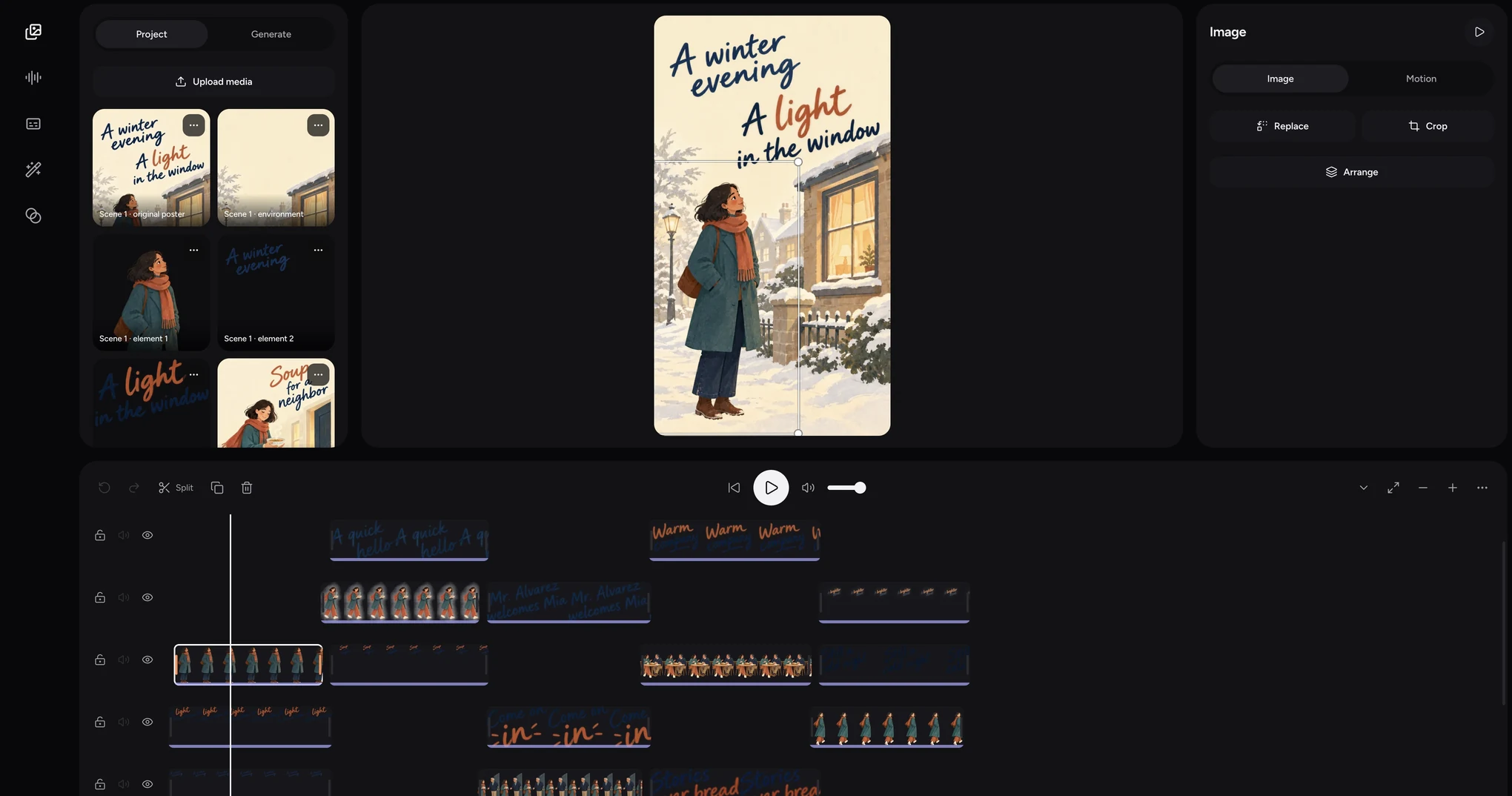
Fixing a scene is therefore editing, not regenerating.
- Move, resize or rotate a character or an object by dragging its handles on the preview.
- Slide a picture along the timeline so it appears on the exact word that names it.
- Retype a single caption word. The timing holds, so the line stays in sync.
- Change how a layer enters, moves and leaves the frame.
- Replace one illustration with a new one or with your own photo, without rebuilding the scene.
- Move, trim or add a sound effect.
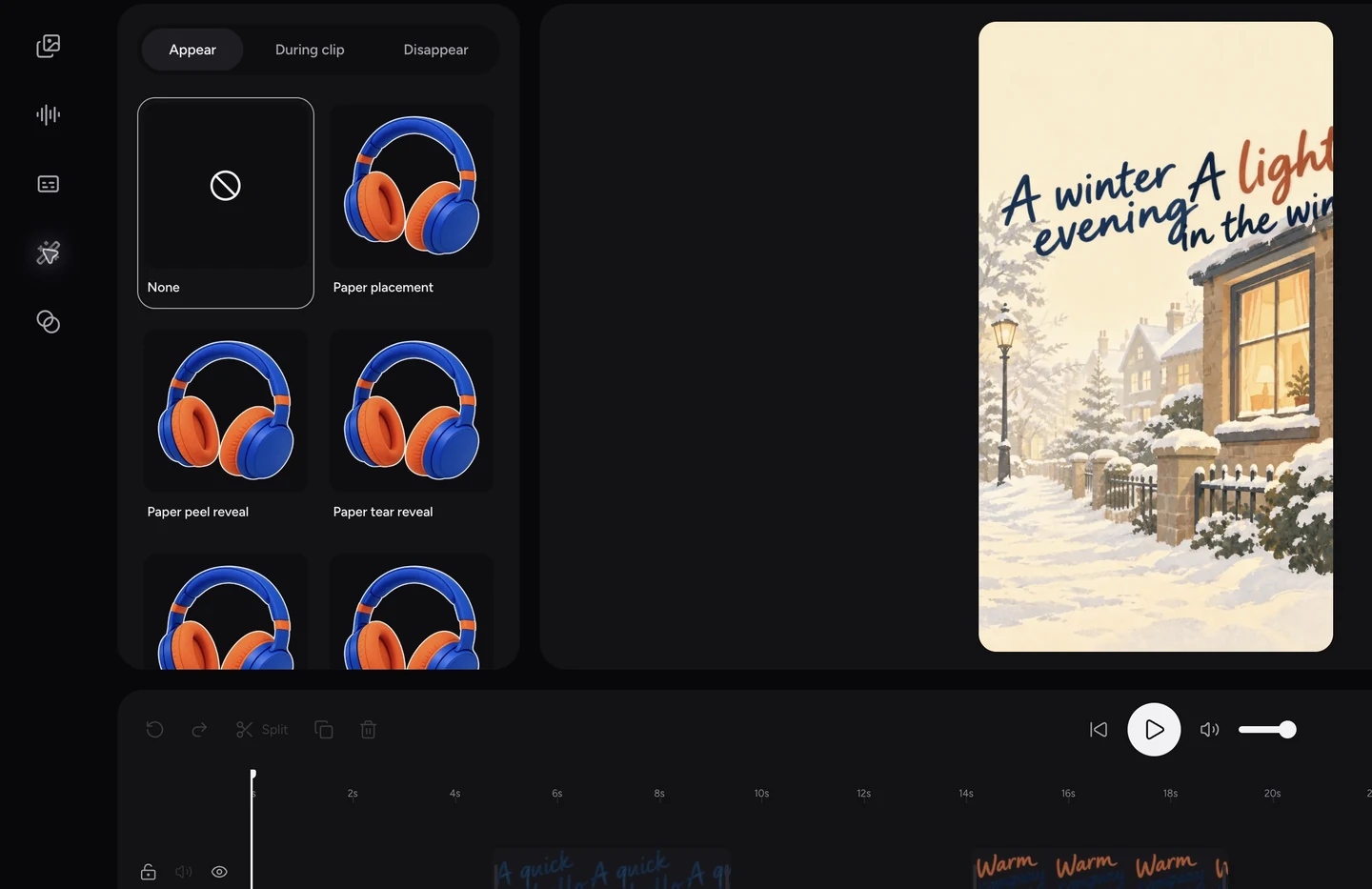
None of this uses credits, and you can export the same project as many times as you like. Pictory’s storyboard lets you swap a scene’s visual, change its text and set its length, and its help center documents adding and reordering extra layers on a scene. That is quick when each sentence needs one picture. A stock clip is still a finished piece of footage: you can trim it or replace it, but you cannot move the person inside it.
Sources: Pictory editor, Adding more than one visual to a Pictory scene, How to edit an AI-generated video in Plamia
Plamia and Pictory side by side
Scroll horizontally to compare every column.
| Workflow | Plamia | Pictory |
|---|---|---|
| What do I get after generation? | An editable project. Each character, background, caption and sound is its own layer. | A storyboard of scenes, each with a stock or generated visual |
| Where do the visuals come from? | New illustrations drawn for every scene, in one of 19 styles | Stock clips and images matched to each scene, or media generated in AI Studio |
| How do I fix one detail in a scene? | Move, resize or replace that layer on the timeline. No credits used. | Swap the scene’s visual, or add and reorder layers on top of it |
| How sharp is the export? | 720p, 1080p or 4K, vertical 9:16 | Up to 1080p, in 16:9, 9:16 or 1:1 |
| What can I try before paying? | 300 credits at signup, no card, no time limit | 14 days, 300 credits, up to 3 videos, watermarked 720p downloads |
| What is the lowest paid option? | $4.50 once for 300 credits | A regular price of $29 a month |
| What can I start from? | A script of up to 250 words or an idea, with optional reference photos | A script, prompt, URL, document, slides, audio or a recording |
| How long can the video be? | A short narrated from up to 250 words | Up to 30 minutes from a script or URL on paid plans |
Sources: Pictory plans and limits, Plamia plans
Stock footage or original illustrations
Take a script about a night train that stops at three stations. Pictory will find a train for each scene. They will be three different trains, filmed in three countries, because that is what a stock library holds.
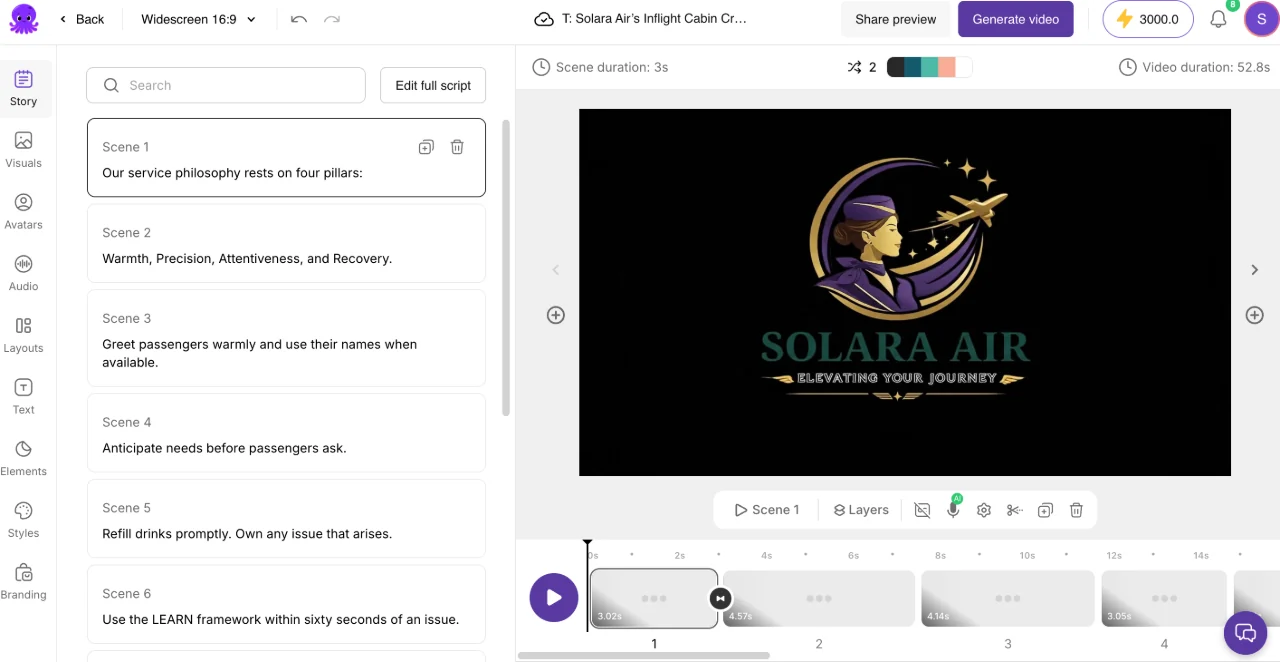
Plamia draws all three stops in the style you picked, so the engine, the palette and the lettering stay the same from the first scene to the last. Attach a photo of the real train and it guides the artwork. When a detail has to be exact, such as a serial number or a label, put the photo itself on the timeline for that moment.
A drawn look is also what makes a channel recognizable. Viewers have seen the same stock clips in a hundred videos. They have not seen your characters.
Pictory and Plamia pricing
New Plamia accounts get 300 credits at signup, with no payment card and no trial clock. That covers generating a short, previewing it and editing it. After that you can pay as you go: credits are sold once, from $4.50 for 300, with no subscription. Creator is $24 a month with 2,000 credits. Editing a project and exporting it again in 720p, 1080p or 4K use no credits, and credits you do not use stay in your balance.
Pictory starts with a 14-day trial: 300 credits, up to 10 minutes across 3 videos, 720p, with Pictory branding on downloads. Its Starter plan shows a regular price of $29 a month, with 2,000 credits and up to 30 minutes of video a month on monthly billing. Professional shows $59 a month, with 6,000 credits and up to 90 minutes. Paid plans export up to 1080p without branding. On November 24, 2026 the pricing page showed a 50% Black Friday discount on every plan, so check the current price before you compare.
Sources: Plamia plans, Pictory plans
There is one more cost to count: revisions. In Plamia a revision is an edit, and edits are free. Budget your credits for new videos, not for second attempts at the same one.
When Pictory is still the right tool
Plamia is built for short animated videos and goes deep on that. Pictory covers jobs Plamia does not take on.
- Long videos. Pictory makes videos of up to 30 minutes from a script or URL on paid plans.
- Real footage. When the viewer should see actual places, people or products, a stock library is the right source.
- Landscape and square formats, and turning an article, a PDF or slides into a video.
Sources: Pictory plans and limits
How to try a Pictory script in Plamia
- Pick a script you have already produced in Pictory, and cut it to 250 words or fewer. A short with one idea works best.
- Paste it into Plamia, choose a style and a voice, and add a reference photo if a person or product recurs.
- Generate the draft and watch it once without stopping. Note every scene where the picture does not match the words.
- Fix those scenes in the editor: drag a character, move an image onto the right word, correct a caption. Count how long it takes.
- Put the result next to the Pictory version of the same script, and compare how well the pictures fit and what each would cost per month.
Frequently asked questions
What is the best Pictory alternative for animated videos?
For short animated videos made from a script, Plamia is built for exactly that. It draws every scene in one consistent style, adds narration and captions, and gives you a layered project you can edit by hand. For long videos assembled from stock footage, Pictory or a similar stock-based tool fits better.
Can I edit a Plamia video after it is generated?
Yes, and it is the main reason to choose Plamia. A generated short opens as a project on a multi-track timeline. Characters, backgrounds, lettering, captions, voice and sound effects are separate layers, so you can move, resize, retime, restyle or replace any of them by hand. Those edits and every re-export use no credits.
Is there a free Pictory alternative?
Plamia gives new accounts 300 credits with no payment card and no time limit, which covers generating, previewing and editing a short. Downloading the MP4 takes one purchase, and credits start at $4.50 with no subscription.
Does Plamia use stock footage like Pictory?
No. Plamia draws new illustrations for each scene, so the pictures match your script and share one style. You can add your own photos to a project.
Can Plamia turn a blog post or a URL into a video?
Not directly. Plamia starts from a script of up to 250 words or from an idea that it develops into a script. Pictory accepts a URL, a document or slides.